Components
The switch between nbt and components during 1.20.5 was a huge change with datapacks. This offered more readability and better stacking
when it comes to writing custom data.
Components solved a major issue when it comes to clearly defined fields, making commands easier to read and maintain.
Basic syntax
Items using components use the square brackets [] to define components. Components always follow snake case so instead of
[Tooltip Display={hide_tooltip:true}]
it's instead
[tooltip_display={hide_tooltip:true}].
Other syntax
Defining multiple components you need to use , like so [rarity=uncommon,tooltip_display={hide_tooltip:true}]. You can also
use ! for cases you want to remove information to an item, like [!food,!consumable] for cooked beef.
Item components
Components that are attatched to items replaced, added, or removed data held by that item. This system was overhauld in
1.20.5 previously called nbt.
An example of nbt components for making uncommon cobblestone:
give @s cobblestone[rarity=uncommon]
Custom items
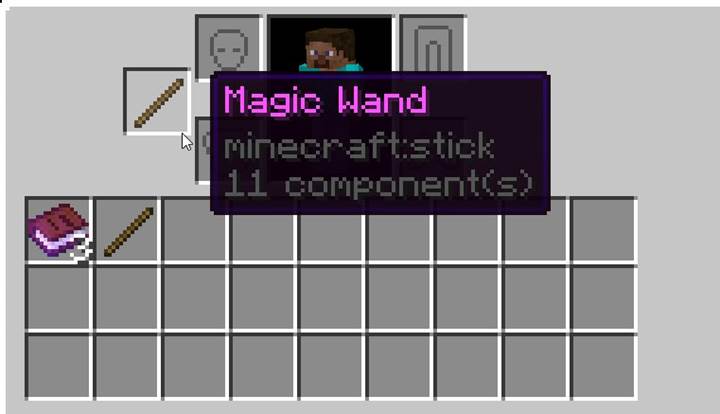
Components also help create every custom vanilla item in a datapack. There is lots of usefull components for creating custom components.
Here is a list of some useful item components and what they could be used for:
| Component | Use case |
|---|---|
| item_model | Used for custom items with different models |
| custom_model_data | Used for custom textures offered in a pre-existing or already |
| custom_data | Used generally in selectors or execute commands for adding on data only commands can read |
| attribute_modifiers | Used when you want to change an items ability to affect the entities properties |
| custom_name | Used to give items custom names, contains properties like renaming how an item is on an anvil |
| item_name | Used when you want the name of the item itself to be different, cannot see item name hovering in item displays |
| lore | Used for giving items custom text below the item name, great for extra text when hovered |
Entity components
When working with entities there is several issues when working on what would be belived are component based items.
Entities use the older system of NBT data to create custom mobs. Use This website to create custom mobs
easier.
Though when executing at entities when running a command you still would use the newer components to select stuff like what item the entity has. Below is an example of detecting the current entity having atleast 10 of any type of item in its inventory.
execute if items entity @s container.* *[minecraft:count=10] run say there is 10 of atleast 1 type of item
Block entity components
Block entity components are different from just regular entity components because they have block states like waterlogged
or facing a direction. You can even target hotbars in block entities like chests to modify the contents of what items are where.
There is a difference to storing data in either a chest or enderchest.
Chest -> store in block data.
Enderchest -> store in player data.
Here is an example of a command being executed to check if a chest is waterlogged.
execute if block ~ ~ ~ chest[waterlogged=true]
Reference
Information:
https://learn.microsoft.com/en-us/minecraft/creator/reference/content/blockreference/examples/blockcomponents/blockcomponentslist?view=minecraft-bedrock-stable
https://minecraft.wiki/w/Block_entity